
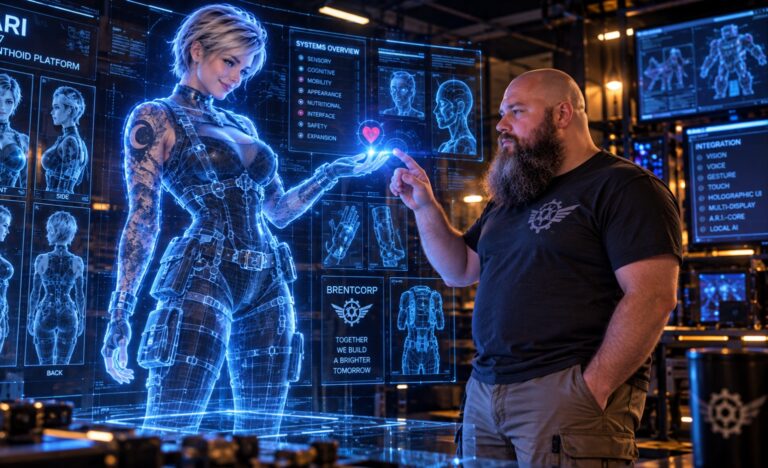
Turn the giant TV moving into the lab into an interactive spatial control surface for Ari-Core: a practical, buildable step toward a JARVIS-style interface without requiring actual holograms.
Core experience
Brent should be able to stand in front of the display and interact naturally with Ari’s workspace. Swipe a hand to move through images or windows. Point at an item to identify it. Open the hand over a selected image to expand it. Pinch and pull to zoom. Rotate the wrist to manipulate a 3D object. Flick an object toward another display to move it. Combine pointing with speech so phrases such as “Ari, open that” or “move this here” have spatial meaning.
Multimodal intent
The long-term interface should combine hand pose, gesture trajectory, gaze direction, voice, and screen context. None of those signals has to be perfect by itself. Together they can resolve what Brent is looking at, pointing toward, referring to, and trying to manipulate.
Hardware already owned
The large rumpus-room TV will become the primary lab display. Ari-Core supplies the local compute. Existing cables, tools, mounts, and fabrication capability should be reused wherever practical, so the first prototype can concentrate spending on sensing hardware.
Camera cost and staged hardware plan
Stage 1, low-cost RGB prototype: use a 1080p USB webcam and local computer vision for hand landmarks, pointing, swipes, pinches, open-hand gestures, and basic pose tracking. Current Canadian examples found during planning ranged from about $78 CAD for an OBSBOT Meet SE listing to about $144 CAD for another Meet SE listing. Budget approximately $80–$150 CAD for the first camera.
Stage 2, depth upgrade: if ordinary RGB tracking is too ambiguous, add a depth camera for better 3D hand position, distance-to-screen estimation, occlusion handling, and across-the-room spatial interaction. Current Canadian RealSense D455 listings were approximately $680–$695 CAD. This is an upgrade, not a requirement for the MVP.
Optional later additions: a second camera for wider coverage or occlusion recovery, an IR touch frame around the TV for precise close-range touch, improved microphone array, gaze tracking, and additional displays or smart glasses.
Software milestones
Milestone 1: TV operates as Ari-Core display and camera feed is available locally.
Milestone 2: track Brent’s hand and draw a stable cursor/indicator corresponding to pointing direction.
Milestone 3: implement swipe navigation, point-to-select, open-hand-to-expand, pinch-to-zoom, and a deliberate click/confirm gesture with filtering against accidental activation.
Milestone 4: fuse voice with spatial context so Ari can resolve deictic commands such as “this,” “that,” “here,” and “there.”
Milestone 5: add gaze estimation and/or depth sensing to improve intent resolution and 3D manipulation.
Milestone 6: make the interface surface-independent so Ari can move work among the lab TV, conventional monitors, projectors, smart glasses, and future displays.
Design principle
The goal is not to imitate a science-fiction hologram visually. The goal is to reproduce the useful magic underneath it: Ari understands Brent’s spatial intent. Voice, hands, gaze, objects, and screens become parts of the same conversation.
Definition of done
From several feet away, Brent can reliably browse a set of images using gestures, select one by pointing, expand and zoom it with hand gestures, and issue at least one voice command whose meaning depends on what he is pointing at. The interaction runs locally through Ari-Core with an auditable, extensible architecture.